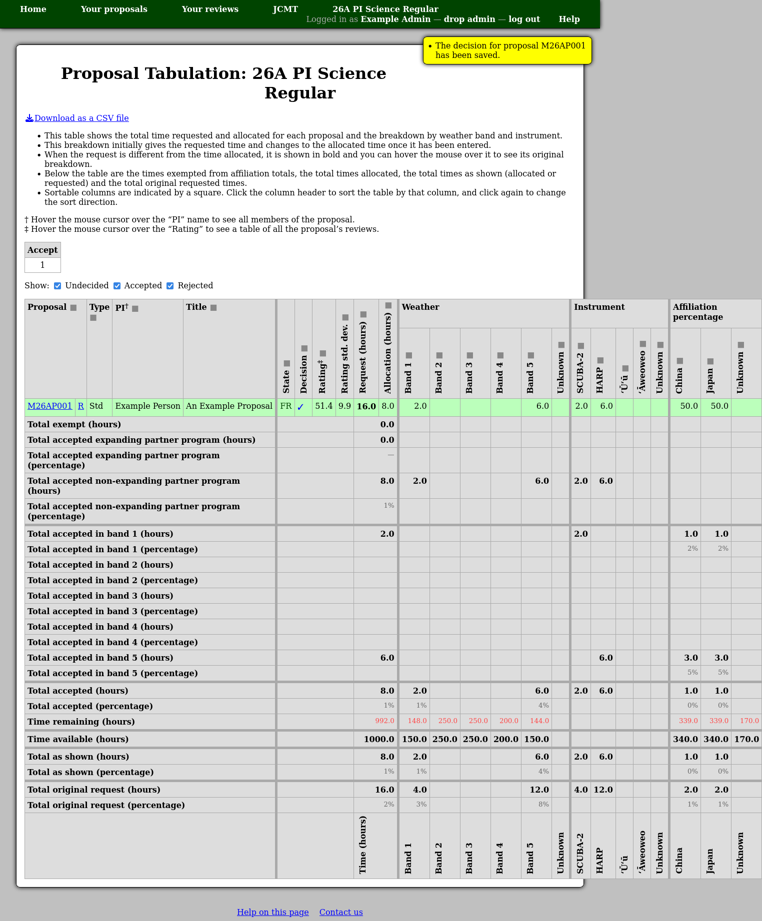
Detailed Tabulation and Decisions
The “detailed tabulation” page attempts to summarize the information about each proposal which the committee will need in order to make decisions regarding which proposals to accept. You can also download a copy of the same information as a CSV file.
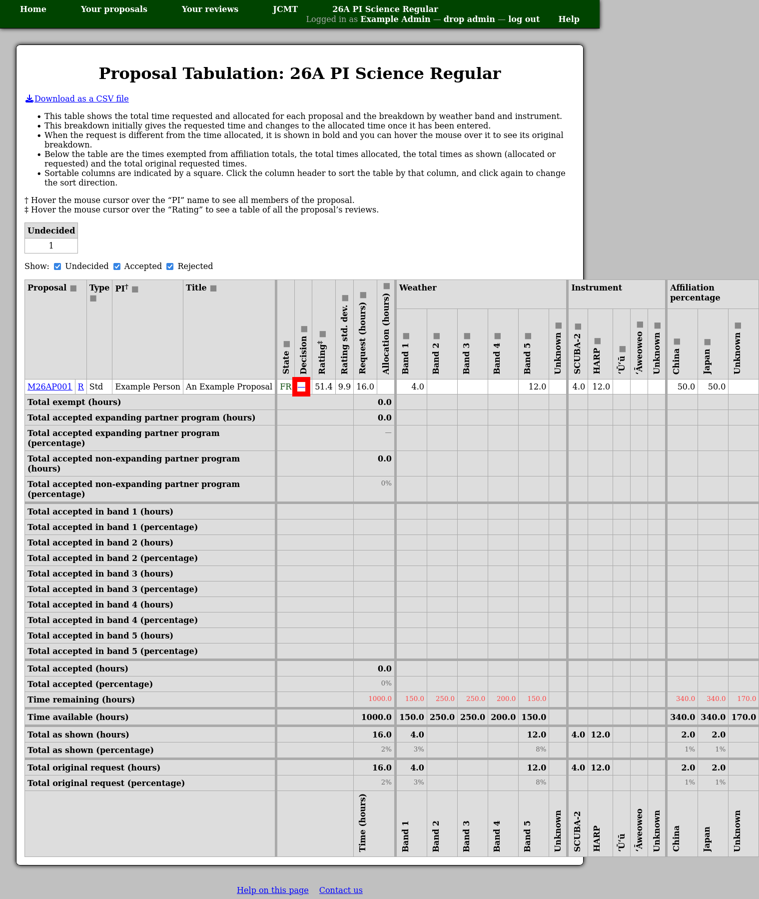
To enter a decision, click the entry in the “Decision” column. (A dash is shown here until a decision is entered.)
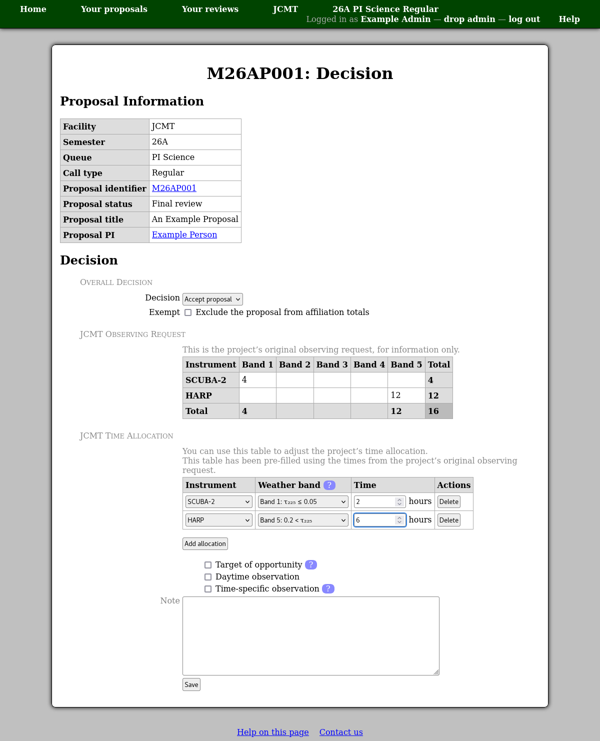
This takes you to the decision page where there are two main controls:
- Decision
This selection box is used to indicate whether you intend to accept the proposal. You can choose to accept or reject the proposal, or you can select “undecided” if you do not wish to make a decision at the current time.
All of the additional information is saved when you press the “Save” button, regardless of the decision. This means that you can alter a decision multiple times without having to re-enter the other information. You can also enter possible time allocations in advance of making decisions, should you wish to do so.
Note that the decision will not be finalized until you approve sending feedback to the proposal members.
- Exempt
This exempts the proposal from counting towards the affiliation total allocations.
It can be used to classify “best science”, or similar, proposals which you wish to approve regardless of affiliation.
At the bottom of the page you will see the proposal’s original observing request and a time allocation form. You can use this to modify the observing time to be awarded. There is also a “Note” box where you can enter any additional information about the time allocation. The intention is for this note to be passed to the telescope scheduler.
Finally press the “Save” button to store both the decision and the time allocation.
The tabulation page will then be updated to show the new allocation rather than the original request.