Sending Feedback and Thanks
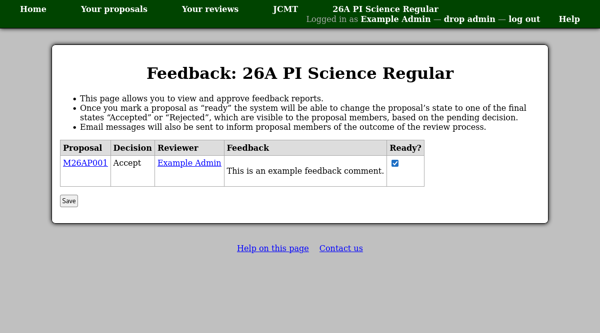
Sending Proposal Feedback
Once the committee reviewers have entered feedback for each proposal, you will be able to use the “Approve feedback reports” page to view the comments which have been entered. When you approve them, the system will be able to send a feedback message to the proposal members. Once the feedback message has been sent, the proposal will be set to its final “Accepted” or “Rejected” state. Members of the proposal will be able to log into the system, see the proposal status and read the feedback online.
Thanking Invited Reviewers
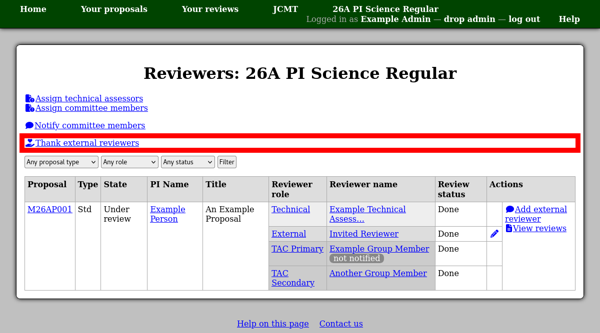
Once invited reviewers have completed their reviews, the “Assign reviewers” page will show a link allowing you to send each of them a “thank you” message.
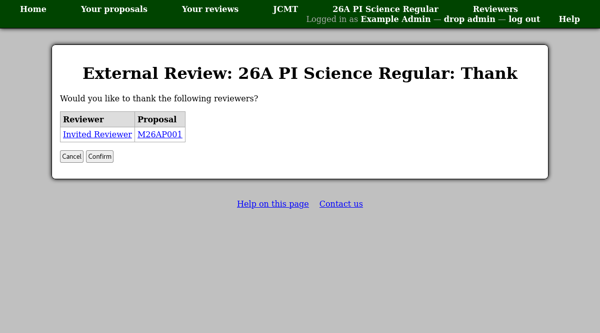
This link leads to a page listing the reviewers who have not yet been thanked. Here you can confirm sending messages to them.