Managing Semesters
The first step in setting up a call for proposals is to define the semester to which it relates. A semester has both a “name” and a “code”.
- Name
This is the name by which the semester will commonly be known. It can be a longer, descriptive, name where required, e.g. in special semesters or if an established semester numbering scheme is not in place.
- Code
This is used by the system to generate proposal codes. For example, at JCMT, proposals codes take the form “M15AI001” where the “M” denotes a regular proposal, “15A” is the semester code, “I” is the queue code and “001” is a proposal number. In this case you would enter “15A” as the code. The code may often be the same as the semester name.
Next enter the observing dates of the semester. These dates will be used to inform users as to when the semester is and may be used in automated target tools to help determine whether observing targets are suitable in this semester.
The description box allows you to enter the text to be used in the body of all calls for proposals for this semester. You can enter plain text, which will be shown as entered in the box, or you can select a formatting scheme. This will allow you to add formatting such as bold text, bullet pointed lists and links to your description. Later, you will be able to add a preamble which is specific to each type of call.
Information you may wish to include in the description could be:
Any news since previous calls.
Links to useful information.
Available instrumentation.
You will be able to enter the following information in specific places later in the process, so for now you need not include:
Details of available queues and eligibility for them.
Notes on what is expected in the technical and scientific justification.
Information specific to particular types of calls.

The Call Preamble
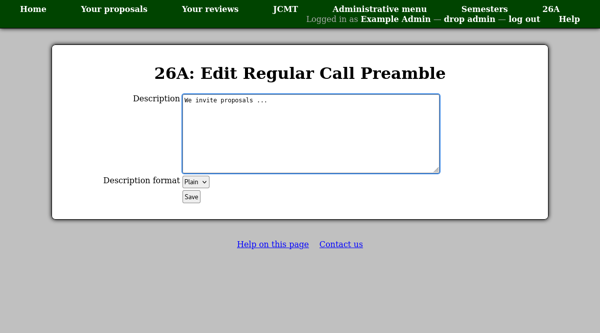
When a call for proposals is shown to potential proposal authors, the semester description will be prefaced by the call preamble. Toward the end of the semester view page, you will find a table showing the preamble for each type of call for proposals. Click the add (or edit) link for the type of call you are preparing.

You can then enter the preamble text. As for the semester description, you can enter plain text, which will be shown as entered in the box, or you can select a formatting scheme.
You may wish to include:
A general introductory message.
Any restrictions which apply to proposals for this call.
Notes about the time allocation process for this call.