Reviews of a Proposal
You can navigate to the reviews of a proposal in several ways;
From the review process page, click “Reviews”.
From the reviewer assignment page, click “View reviews”.
From a proposal view, when the proposal is under review, click “View reviews” next to the proposal status.
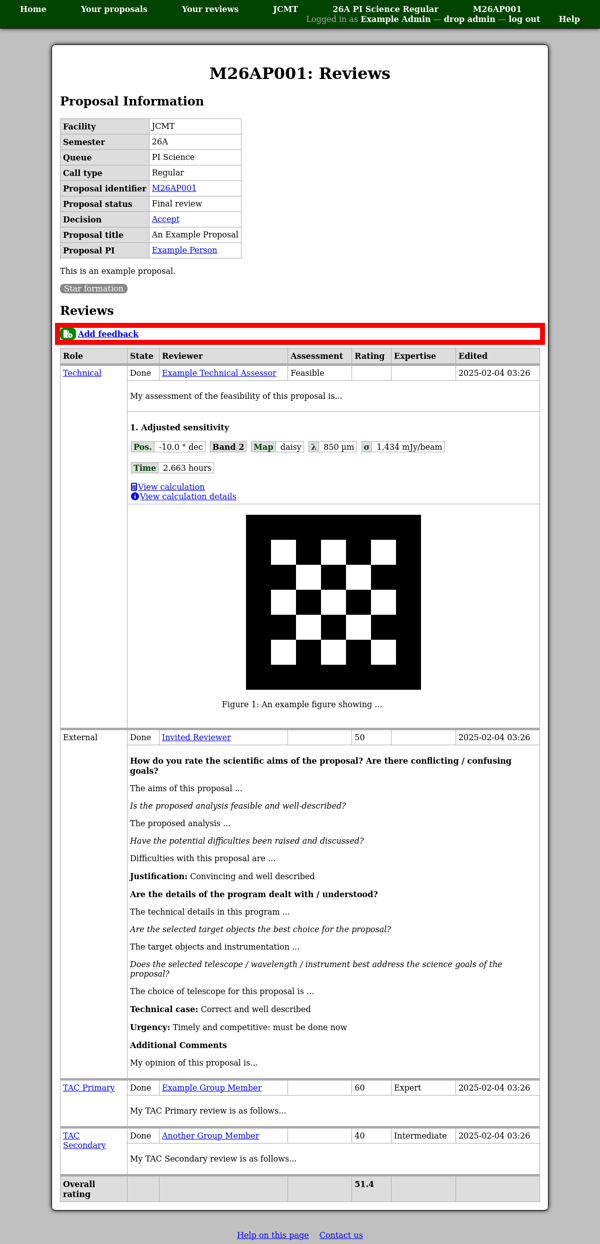
You should see a page with a summary information table, proposal abstract, category list and a table showing all of the reviews.
If you are eligible to add any additional reviews of the proposal, you will find a set of appropriate links in the middle of the page, above the table of reviews.