User Request Status
In addition to general processing tasks, as listed on the processing status page, some time-consuming actions which users may request are also performed by background poll processes. These may include:
Copying a proposal.
Preparing a proposal PDF file for download.
The user request status page lists requests in active and error states. These may include:
- Queued
The request has been received but the system has not yet started processing it.
- Processing
The system has started working on the request.
- Error
An error occurred while processing the request.
- Expiring
The request has expired and the system has started to clear up any associated resources.
- Expiry error
An error occurred during the expiry process.
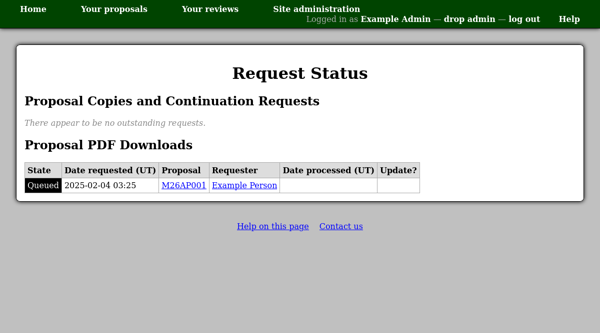
When a request’s status can be reset, a check box will appear in the “Update?” column. You can then choose a new status and press the “Set state of marked entries” button at the bottom of the page. Note that only certain status transitions can be performed through this form, e.g. from an error in processing to “Queued” or from an error in expiry to “Ready” so that expiry can be re-tried.